Walk into almost any busy quick-service restaurant today and you’ll notice something different. Customers are no longer standing in a single cashier line waiting to place orders. Some are tapping through digital menus, customizing meals themselves, and paying in seconds without speaking to anyone at the counter.
But kiosking is not simply about replacing cashiers with screens. When implemented properly, it changes how orders move through the restaurant, how kitchens handle volume, and how customers interact with your brand from the moment they walk in.
In this blog, you’ll learn what kiosking means in restaurants, how kiosk systems actually work operationally, the biggest benefits and challenges restaurants face, and the best practices for implementing kiosks successfully in 2026.
Key Takeaways
Restaurant kiosks allow customers to place and pay for orders through self-service digital stations, helping restaurants improve speed, order accuracy, and operational consistency.
Restaurants are adopting kiosks in 2026 to reduce front-counter congestion, optimize labor usage, increase average order value through upselling, and support digital-first customer experiences.
The real operational value of kiosking comes from how well kiosks integrate with POS systems, kitchen display systems, payment platforms, loyalty programs, and other ordering channels.
Poor kiosk implementation can create new operational problems such as system integration failures, kitchen bottlenecks, customer confusion, and service disruptions during peak hours.
Successful kiosk adoption depends on simple interfaces, proper staff training, consistent menu management, organized pickup workflows, and connected ordering systems that work smoothly behind the scenes.
What Does Kiosking Mean in Restaurants?
Kiosking in restaurants refers to the use of self-service digital ordering stations that allow customers to browse menus, customize meals, place orders, and complete payments without relying entirely on a cashier or server.
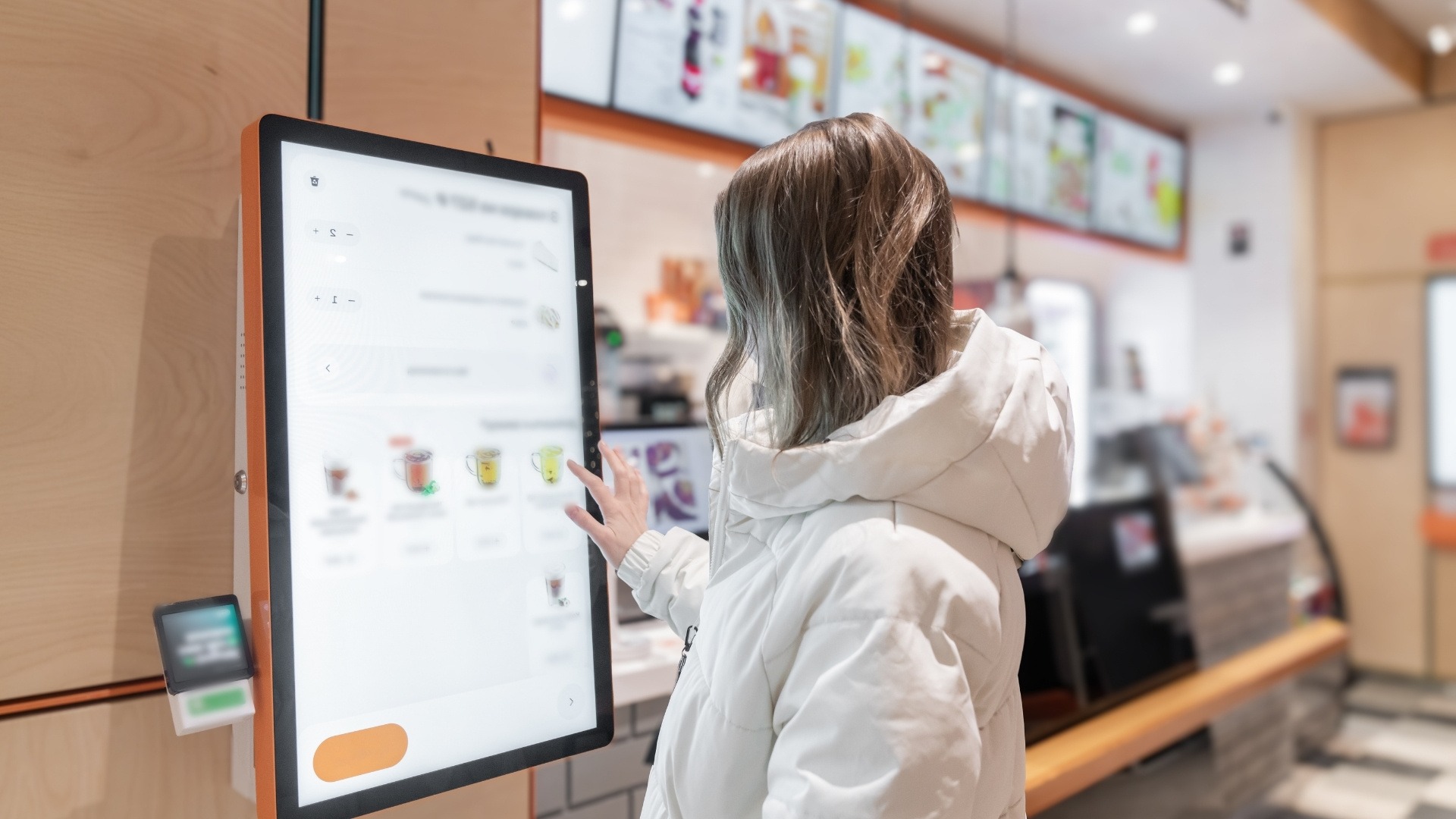
These kiosks are typically touchscreen devices placed inside the restaurant, at counters, drive-thrus, or pickup zones. Customers interact directly with the system to select menu items, add modifiers, apply loyalty rewards, and pay using cards, mobile wallets, or contactless payment methods.
Kiosking has become especially common in:
quick-service restaurants (QSRs)
fast-casual chains
cafés
food courts
cinemas
stadiums
high-volume takeaway environments
In most restaurants, kiosks connect directly with the POS system and kitchen display system (KDS). Once an order is placed, it routes automatically to the kitchen for preparation, reducing manual order entry and minimizing communication errors during busy service periods.
Stop losing 20-30% of every order to third-party apps
The Restaurant Margin Playbook shows you how to build a direct ordering channel, own your customer relationships, and reclaim the margins delivery platforms are quietly taking.
Different kiosk models solve different operational problems. The right setup depends on your service style, order volume, customer behavior, and how your restaurant already handles ordering during peak hours.
Restaurant Kiosk Types Table
Kiosk Type
How It Works
Best Fit For
Freestanding Kiosks
Large standalone touchscreen stations placed near entrances or ordering queues where customers place and pay for orders independently.
QSRs, fast-casual chains, food courts
Countertop Kiosks
Smaller self-ordering devices placed directly on counters or pickup stations to support quick ordering in compact spaces.
Cafés, bakeries, small takeaway restaurants
Wall-Mounted Kiosks
Touchscreen ordering systems mounted onto walls to save floor space while still supporting self-service ordering.
Smaller restaurants with limited layouts
Tablet-Based Kiosks
Tablets mounted at tables or counters that allow customers to browse menus and order digitally.
Casual dining, cafés, table-service hybrids
Drive-Thru Kiosks
Outdoor self-service ordering systems designed for drive-thru lanes where customers place orders before reaching pickup windows.
High-volume QSR drive-thrus
Self-Checkout Kiosks
Focused primarily on payment and checkout instead of full menu ordering, often used for grab-and-go operations.
Convenience cafés, grab-and-go stores
QR-Assisted Kiosks
Kiosks combined with QR ordering systems, allowing customers to continue or complete orders through their phones.
Hybrid dine-in and digital ordering models
Once kiosks became easier to integrate with POS and digital ordering systems, restaurants started using them for much more than just reducing lines.
Why Restaurants Are Adopting Kiosking in 2026
In 2026, kiosks are no longer viewed as novelty technology. Restaurant kiosking has become a practical operational system for restaurants trying to balance faster service, rising labor costs, digital ordering expectations, and customer convenience.
Here are the biggest reasons restaurants are adopting kiosking today:
Faster ordering and reduced wait times: Self-ordering kiosks allow multiple customers to place orders simultaneously instead of waiting in a single cashier line. This improves customer flow during lunch rushes, evening peaks, and high-volume service periods.
Labor optimization and staff efficiency: Restaurants use kiosks to reduce repetitive front-counter tasks so staff can focus more on food preparation, order handoff, customer assistance, and operational support during busy shifts.
Higher average order values through upselling: Kiosks automatically suggest combo upgrades, add-ons, desserts, drinks, and modifiers throughout the ordering process. Customers also tend to spend more time browsing digital menus compared to ordering verbally with cashiers.
Better order accuracy: Customers enter their own customization requests directly into the system, reducing communication errors involving modifiers, allergies, substitutions, and special instructions.
More customer control during ordering: Kiosks allow customers to browse menus, customize meals, and order at their own pace without feeling rushed. Many systems also support multilingual menus, allergen visibility, and accessibility features.
Reduced front-counter congestion: High-volume restaurants use kiosks to spread ordering traffic across multiple stations instead of creating long cashier queues that slow down service and frustrate customers.
Improved consistency across digital channels: Modern kiosks often connect directly with POS systems, kitchen display systems (KDS), loyalty programs, QR ordering, and mobile ordering workflows to create smoother operations across dine-in and takeaway channels.
Growing customer comfort with self-service technology: Customers are now familiar with self-service ordering from restaurants, airports, cinemas, grocery stores, and retail environments, making kiosk adoption feel more natural than it did a few years ago.
Better operational visibility and reporting: Digital kiosk systems help restaurants track ordering patterns, upsell performance, peak ordering times, and customer preferences more accurately than manual ordering environments.
Support for contactless and digital-first dining experiences: Kiosks align with the broader shift toward digital payments, mobile wallets, QR ordering, and reduced physical contact during the ordering process.
As restaurants continue investing in digital ordering infrastructure, kiosking is becoming less about replacing staff and more about creating faster, cleaner, and more scalable ordering workflows.
How Kiosking Works Inside Restaurant Operations
Behind every kiosk order is a connected operational workflow that links ordering, payments, kitchen production, customer communication, and reporting into one system.
Here’s how kiosking typically works inside restaurant operations.
Menu synchronization with the POS system: Kiosks connect directly with the restaurant’s POS system so menus, pricing, modifiers, combo options, and promotions stay updated automatically. This prevents mismatches between what customers see on the kiosk and what the kitchen or cashier system recognizes.
Customer ordering and customization flow: Customers browse the digital menu, customize items, apply modifiers, add upgrades, and review their order before checkout. Because customers input their own preferences directly, restaurants reduce communication errors involving special requests and add-ons.
Integrated payment processing: Most kiosks support debit cards, credit cards, contactless payments, mobile wallets, and digital payment systems. Once payment is completed, the transaction routes automatically through the restaurant’s payment and reporting system.
Automatic order routing to the kitchen: After checkout, kiosk orders flow directly into the kitchen display system (KDS) or kitchen printer without requiring manual re-entry from staff.
Kitchen display system (KDS) coordination: Orders appear digitally on kitchen screens where staff can prioritize preparation based on order type, prep time, pickup timing, or service channel.
Order queue and pickup management: Many kiosk systems assign digital order numbers, estimated wait times, or pickup notifications so customers know when and where to collect their food.
Integration with loyalty and customer accounts: Some kiosk systems connect with loyalty programs, allowing customers to collect rewards points, redeem offers, or access personalized promotions directly during ordering.
Real-time operational reporting: Kiosks generate ordering data that helps restaurants monitor sales trends, upselling performance, order volume, customer behavior, and peak ordering periods more accurately.
Support for multi-channel ordering ecosystems: Modern kiosks increasingly operate alongside QR ordering, website ordering, mobile apps, and delivery integrations. Restaurants use connected systems to create more consistent ordering workflows across every channel.
Reduced dependency on manual order handling: Because orders move digitally from customer to kitchen, restaurants reduce the operational friction caused by handwritten tickets, verbal communication errors, and disconnected ordering systems.
The operational value of kiosking comes from how well the technology integrates with the rest of the restaurant’s workflow.
To support this level of operational visibility and control, platforms like iOrders provide analytics that help you track food cost trends over time, identify discrepancies early, and make more informed decisions.
While kiosks can improve service speed and reduce operational pressure in some areas, they can also create new bottlenecks when the surrounding systems are not prepared to support them properly.
The Biggest Challenges of Restaurant Kiosking
Many restaurants assume kiosks will automatically solve service problems, only to discover that poor implementation creates new operational issues instead.
Like any restaurant technology, kiosking works best when it fits the restaurant’s workflow, customer behavior, staffing model, and operational capacity.
Here are the biggest challenges restaurants face when adopting kiosking in 2026.
High setup and maintenance costs: Kiosking requires investment in hardware, software, installation, payment systems, network infrastructure, and ongoing maintenance. For multi-location restaurants, costs increase quickly when deploying kiosks across several stores.
Poor integration with existing systems: One of the biggest operational problems happens when kiosks do not sync properly with POS systems, kitchen display systems, loyalty platforms, or online ordering tools. Disconnected systems often create duplicate tickets, pricing mismatches, reporting inconsistencies, and fulfillment confusion.
Customer adoption resistance: Not every customer prefers self-service ordering. Some customers, especially older demographics or first-time users, may feel uncomfortable navigating kiosks without assistance. If the system feels confusing or slow, frustration increases quickly.
Technical failures and downtime risks: Kiosks depend heavily on internet connectivity, payment processing systems, and software stability. Frozen screens, failed payments, printer issues, or system outages can disrupt service flow during peak periods.
Staff training requirements: Employees still need training even in self-service environments. Staff must know how to troubleshoot kiosks, assist customers, manage digital order flow, and handle exceptions when technology fails.
Accessibility and usability concerns: Poorly designed kiosk interfaces can create problems for customers with disabilities, limited technical familiarity, or language barriers. Restaurants must consider accessibility standards carefully during implementation.
Kitchen pressure from increased order speed: Kiosks often increase ordering speed faster than kitchens can handle during rush periods. If kitchen capacity does not scale alongside kiosk adoption, ticket times and operational stress can worsen.
Most kiosk-related problems do not come from the technology itself. They usually happen when restaurants implement kiosks without adjusting staffing, kitchen flow, customer communication, or operational processes around them.
The difference between a kiosk system that improves operations and one that frustrates customers usually comes down to implementation. Let's learn the best practices to make it work exceptionally.
12 Best Practices for Implementing Restaurant Kiosks
Restaurant kiosks work best when they are implemented as part of a larger operational strategy instead of being treated as standalone hardware. The goal is not simply to install screens inside the restaurant. The goal is to create faster, smoother, and more reliable ordering experiences without creating new operational problems behind the scenes.
Here are the best practices restaurants should follow when implementing kiosk systems.
Keep the ordering interface simple: Customers should be able to navigate the kiosk quickly without confusion. Clear menu categories, readable text, strong visuals, and minimal ordering steps improve completion rates and reduce frustration.
Place kiosks strategically inside the restaurant: Kiosk placement directly affects customer flow. Position them where customers naturally pause after entering while avoiding congestion near entrances, pickup counters, or waiting areas.
Train staff alongside the technology: Kiosks do not remove the need for staff support. Employees should know how to assist customers, troubleshoot basic issues, manage digital order flow, and guide first-time kiosk users comfortably.
Integrate kiosks properly with your POS and kitchen systems: Poor integration creates duplicate tickets, missing modifiers, pricing inconsistencies, and reporting issues. Restaurants should ensure kiosks sync cleanly with POS systems, kitchen display systems (KDS), loyalty programs, and payment platforms.
Maintain consistent menus across all channels: Customers expect pricing, availability, modifiers, and promotions to match across kiosks, QR menus, apps, websites, and delivery platforms. Inconsistent menus create confusion and operational errors quickly.
Design workflows around kitchen capacity: Faster ordering means kitchens receive orders faster too. Restaurants should evaluate prep stations, staffing, pickup coordination, and kitchen throughput before scaling kiosk volume aggressively.
Offer both digital and human-assisted ordering options: Some customers prefer kiosks while others still value human interaction. The strongest kiosk implementations support both experiences without forcing customers entirely into one system.
Monitor customer behavior and operational data regularly: Restaurants should track kiosk adoption rates, order completion times, upsell performance, customer abandonment, and operational bottlenecks to improve the system continuously over time.
Build clear pickup and queue management processes: As ordering speeds increase, pickup coordination becomes more important. Digital order numbers, status screens, pickup shelves, and organized handoff areas help prevent customer confusion.
Prioritize accessibility and usability: Kiosks should support multiple languages, readable interfaces, accessible screen heights, and intuitive navigation so customers of different ages and abilities can use them comfortably.
Maintain kiosks actively during service hours: Dirty screens, damaged payment terminals, frozen systems, or slow interfaces damage customer trust quickly. Regular cleaning, software monitoring, and maintenance should be part of daily operations.
Use kiosks to support hospitality, not replace it entirely: The best restaurant kiosk systems improve convenience while still allowing staff to deliver strong hospitality, assist customers, and handle service recovery when needed.
As kiosking becomes more connected with QR ordering, direct online ordering, and digital payment systems, restaurants are moving toward more unified ordering ecosystems instead of isolated technology setups.
That’s where operational consistency becomes extremely important.
iOrders helps restaurants create cleaner digital ordering workflows across QR ordering, website ordering, and direct customer ordering channels, making it easier to maintain consistency between kiosks, menus, and order management systems. Instead of juggling disconnected ordering touchpoints, restaurants can create more organized customer flows that reduce communication gaps and operational friction during busy service periods.
For restaurants investing in kiosking, the real challenge is not just adopting new technology. It is making sure every ordering channel works together smoothly behind the scenes. iOrders helps support that consistency by simplifying order flow, improving visibility across customer touchpoints, and helping restaurants create faster, more reliable digital ordering experiences as kiosking continues growing in 2026.
Yes, kiosks often increase average order value because customers are more likely to add upgrades, combos, and extras through automated upselling prompts.
2. Are self-order kiosks difficult for customers to use?
Most modern kiosks are designed with simple touchscreen interfaces that make ordering faster and easier for customers across different age groups.
3. Can kiosks reduce restaurant labor costs?
Kiosks help restaurants reduce repetitive front-counter tasks so staff can focus more on food prep, customer support, and order fulfillment.
4. What is the biggest mistake restaurants make with kiosking?
The biggest mistake is installing kiosks without properly integrating them with POS systems, kitchen workflows, and pickup operations.
5. Do kiosks replace human hospitality in restaurants?
No, the best kiosk systems support faster ordering while still allowing staff to assist customers and maintain strong hospitality during service.

.png)


.webp)


