
Book a free demo
Oops! Something went wrong while submitting the form.
October 31, 2025

If you run a café, you have probably noticed how much customers value convenience. Digital ordering is no longer a nice-to-have; it is becoming the standard. As per a 2025 Gitnux report, 61% customers feel that digital ordering improves their dining experience. The same report states that 85% customers expect digital ordering options from a café.
Many café owners are still relying on outdated systems or third-party platforms that take a big cut of revenue. Without the right digital ordering system, you risk losing sales and customers to competitors who make ordering faster and easier.
In this post, we will look at the top 10 digital ordering systems for cafés. Whether you run a busy city café or a small neighborhood spot, these platforms can help you improve efficiency, engage customers, and grow revenue.
Brief breakdown:
Running a café is tough. You have to juggle the kitchen, staff, and customers simultaneously. On top of that, customers expect fast, convenient service, and many of them want to order online or via mobile. If your ordering process is slow, prone to mistakes, or limited to in-person and phone orders, you are leaving money and happy customers on the table.
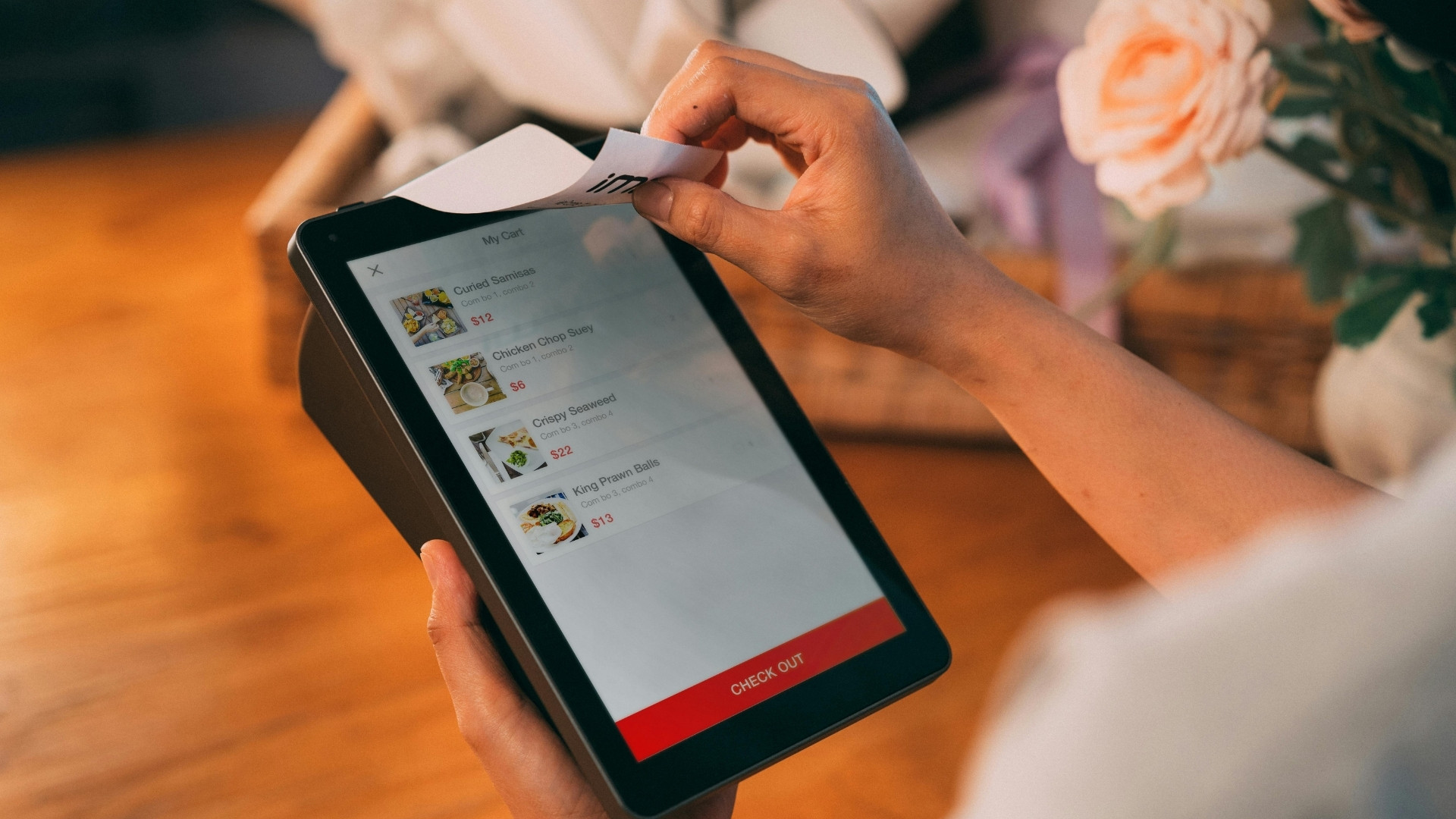
Digital ordering systems can solve these problems and make your life a lot easier. It allows your customers to place orders online, through mobile apps, QR codes, or self-service kiosks. The platform simplifies order intake, integrates with payment and POS systems, and helps café owners manage dine-in, pickup, and delivery workflows more efficiently.
Here are some of the benefits you will notice right away:
Even small cafés in the U.S. and Canada have reported higher repeat business and smoother operations after switching to digital ordering. Once you start, it’s hard to imagine going back.
In the next section, we look at the top 10 digital ordering platforms cafés are using today, and what makes each one a great fit for different types of operations.
Suggested Read: Cafe Online Ordering Experience: Strategies for Success
Choosing the right digital ordering system for your café can feel overwhelming. There are so many options, each promising faster service, higher sales, and happier customers. To make this list, we focused on platforms that are easy to use, reliable, and packed with features that café owners actually need.

We looked at factors like how well they handle online and mobile orders, upselling options, loyalty and marketing tools, integration with existing POS systems, and of course, cost and support. This way, you get a curated selection of platforms that can genuinely help you serve customers better and grow your business.
Here are the top 10 digital ordering platforms cafés are using today.
As a café owner or manager, you need to keep your customers happy, manage staff, and make sure every order is accurate. iOrders makes this a lot easier.
It’s a commission-free digital ordering system that lets you take orders online, via your website, or through QR codes on tables. You get full control over your brand while making it simple for customers to order their favorite coffee or snack.
Key Features:
Pros:
Cons:
Cafés that want full control over their digital ordering experience will love iOrders. It’s great for small neighborhood cafés as well as bigger spots that want to streamline online ordering and build strong customer relationships.
With over 1 million orders fulfilled and a 99% customer satisfaction rate, iOrders is already helping hundreds of cafés run smoother and grow faster. Schedule your free demo today to see the difference in every order value.
Square for Restaurants combines your POS and digital ordering in one easy-to-use platform. You can take online and in-person orders, process payments, and track sales—all without switching between apps. It even lets you manage your menu, schedule staff, and see real-time reports from anywhere.
Pros:
Cons:
If you want a system that just works without a headache, Square is a solid pick. It’s perfect for small cafés that need simplicity and for bigger cafés that want a solution that can scale as they grow.
Toast POS helps take the stress out of orders and operations. It’s an all-in-one platform that handles online and in-person orders, payments, inventory, and reporting. You can also set up loyalty programs, gift cards, and menu management, all from a single dashboard.
Pros:
Cons:
Toast POS works well for cafés of all sizes, especially those that want a robust, all-in-one system. It’s ideal if you want to streamline operations, keep track of every sale, and use data to grow your business.
ChowNow is a commission-free online ordering system that lets your café take orders directly from customers while keeping your branding front and center. You can set up a website ordering page, integrate with your existing POS, and manage orders without relying on third-party delivery apps.
Pros:
Cons:
ChowNow is a great option for cafés that want to build direct relationships with customers while reducing dependency on third-party apps. It’s especially useful for small to mid-sized cafés aiming to grow their online ordering revenue.
GloriaFood is an easy-to-use online ordering system that helps cafés take orders through a website or mobile device, with optional premium features if you want to expand. It’s designed for cafés that need a simple setup and want to start accepting online orders without a big upfront investment.
Pros:
Cons:
GloriaFood is ideal for small cafés or food trucks that want to start taking online orders quickly and affordably. It’s perfect if you want a simple, no-fuss system that grows with your café.
RestApp offers a flexible online ordering system that works for cafés, restaurants, and quick-service spots. You can take orders for delivery, pickup, or dine-in, and even set up QR code ordering at tables, making it easy for customers to place orders on their own.
Pros:
Cons:
RestApp is great for cafés that want a flexible, commission-free solution that can handle multiple types of orders. It works well if you want a straightforward system that integrates with your existing setup while giving customers more control over how they order.
Oracle MICROS Simphony is a cloud-based system that handles online ordering, payments, and inventory management for cafés and restaurants. It gives you detailed insights into sales and customer behavior, so you can make smarter decisions about your menu and operations.
Pros:
Cons:
If you want a powerful system that gives you a full picture of your café’s operations, Oracle MICROS Simphony is a solid choice. It’s ideal for cafés that want to grow, manage multiple locations, or dive deep into data to optimize their business.
MenuSifu offers self-ordering kiosks and mobile ordering solutions that make life easier for both café owners and customers. Your customers can place orders directly from kiosks in-store or through a mobile app, reducing wait times and giving them more control over their experience.
Pros:
Cons:
MenuSifu works well for cafés that want to offer a modern, self-service experience. It’s especially useful for busy cafés looking to reduce lines and speed up service while keeping customers engaged.
Eatance is a customizable online ordering system designed to make ordering simple for your café customers. You can manage your menu, track customer orders, and get insights into buying trends while keeping your branding front and center.
Pros:
Cons:
Eatance is perfect for cafés that want a flexible, customizable ordering system with insights into customer habits. It’s great if you want to understand your customers better while keeping the ordering process simple and branded.
Sintel Systems is an all-in-one digital ordering and POS platform designed for cafés and restaurants. It lets you manage online and in-store orders, track sales, and customize menus. You can do all this and more from one easy-to-use dashboard.
Pros:
Cons:
Sintel Systems is ideal for cafés that want a single platform to manage all orders efficiently. It works exceptionally well for owners who want clear insights into sales and operations without juggling multiple systems.
In the next section, we take a closer look at what actually happens behind the scenes when a customer places an order. Understanding this flow can help you choose the system that fits your café best and ensures a flawless experience for both you and your customers.
Suggested Read: Best Instagram Hashtags for Restaurants to Boost Visibility
When a customer clicks “Order Now” from your café’s website, mobile app, or QR code, a lot happens behind the scenes to make the experience smooth and effortless.

Digital ordering systems optimize the entire process, from receiving the order to preparing it and ensuring it reaches the customer quickly. Understanding how these platforms work helps you see why they are essential for running a café efficiently.
Here’s the typical flow:
iOrders can make this process effortless for your café. Your customers can scan a QR code on a table or access your café’s website to place orders instantly. Every order goes directly to your POS, inventory updates automatically, and you retain full control over branding and promotions. The platform reduces errors, speeds up service, and gives your café a professional ordering experience that keeps customers coming back.
Picking the right digital ordering system can make a big difference in how smoothly your café runs and how happy your customers are. There are plenty of options out there, but the best system for you is one that fits your café’s size, menu, and workflow while helping you grow revenue and improve efficiency.
Ask yourself these questions when evaluating platforms:
If your café already has a mobile app or uses a third-party platform, switching to an in-house ordering solution can be profitable. You can keep complete control over branding, reduce commission costs, and gather valuable customer data to create loyalty programs and targeted promotions.
Suggested Read: How to Set Profitable Food Delivery Fees for Your Restaurant
Moving your café from a third-party platform to an in-house ordering system may seem like a significant step, but it can increase your profits, customer satisfaction, and control over your brand. With the right approach, you can make the transition smooth for both your team and your customers.
Here are some tips to make the switch easier:
By following these steps, your café can smoothly move to an in-house ordering system, reduce commission costs, and deliver a better experience for customers. iOrders makes this transition even easier by providing a user-friendly, commission-free solution that keeps your brand front and center while simplifying online orders.
A digital ordering system is the best way to increase revenue, improve order accuracy, and keep your customers coming back. Without upselling, effortless orders, and a smooth in-house system, cafés can lose out on both money and customer loyalty.
Platforms like iOrders make it easy to take control. From commission-free online ordering to QR code menus, loyalty programs, and smart campaigns, it helps cafés improve sales while keeping operations simple.
If you are ready to take your café’s ordering experience to the next level, consider moving in-house with a system that puts your brand first. Book a free demo today.
Many modern ordering platforms can sync with popular accounting tools to simplify bookkeeping, track revenue, and reconcile orders automatically.
Yes, most platforms allow you to quickly update or rotate menu items, manage limited-time offers, and adjust pricing without disrupting the ordering flow.
Reputable ordering platforms use encryption and PCI-compliant payment processing to ensure that customer data and payment information are safe.
Many systems let you add branding elements like logos, colors, and images, ensuring the online ordering experience feels consistent with your café’s identity.
Most modern systems are cloud-based and scalable, meaning they can handle multiple simultaneous orders without slowing down or causing errors, even during busy rushes.
.png)


